
RepCounter — A Two-Platform Workout App in Swift 6
Role: Sole developer and designer (personal project)
Timeline: 2024 – present Platforms: iPhone (iOS 17+) and Apple Watch (watchOS 10+)
Stack: SwiftUI, Core Data, HealthKit, WatchConnectivity, Foundation Models, Speech, Firebase (Auth, Remote Config, Firestore), Swift Testing, XCUITest
Summary
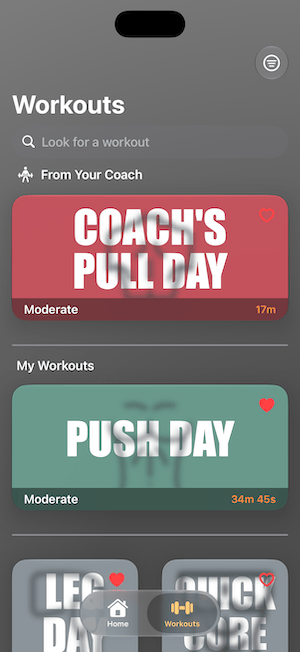
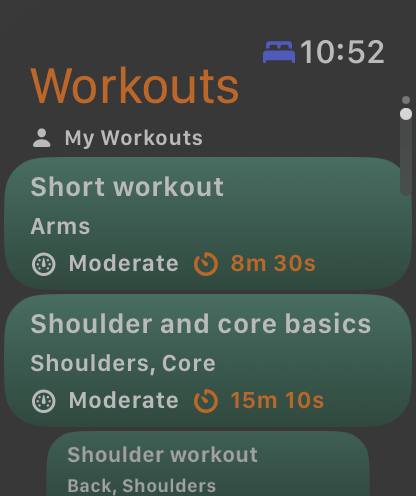
RepCounter walks you through a workout one card at a time — a timer, a rep wheel, your last record to beat — and saves every run to History. It can generate a workout for you on-device from a title, a target muscle group and a difficulty. With an Apple Watch it adds live heart rate and calories, and the watch can run a workout on its own and send the results back to the phone.
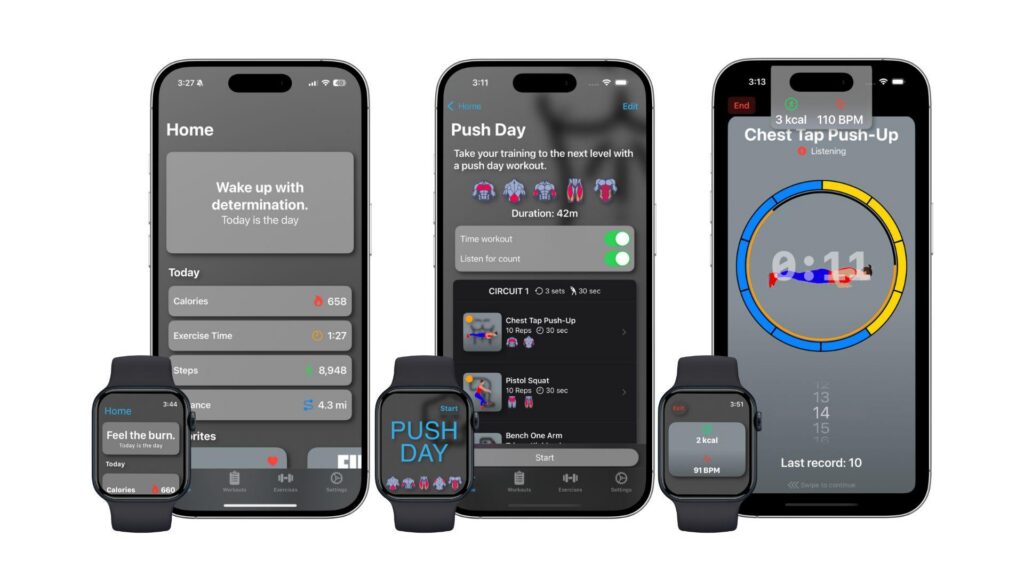
I build and maintain all of it alone: both apps, the shared layer between them, four test targets, and the documentation. It ships in Swift 6 language mode with complete concurrency checking, adopts iOS 26’s Foundation Models, Liquid Glass and Tab APIs behind availability checks, and still runs on iOS 17.
Four constraints shaped most of the decisions: a generative feature that has to produce valid data rather than plausible text, a high-frequency live metric stream feeding a declarative UI, two devices that each hold their own database, and a workout in progress whose state nothing is allowed to disturb.
Problem 1: Generating workouts on-device, inside a real exercise library
RepCounter can build a workout for you. You give it a title, a description, a target muscle group and a difficulty, and it returns a structured workout — circuits, rounds and exercises — drawn from the app’s exercise library.
It runs entirely on-device through Apple’s Foundation Models framework, on the same model that powers Apple Intelligence. No API key, no per-token cost, no network round trip, and nothing about the user’s training leaves the phone.
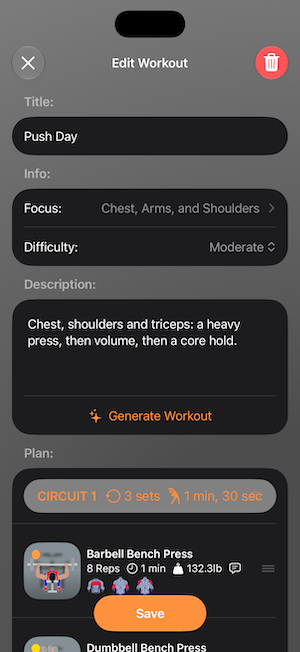
Three things make that harder than it sounds.
The output has to be a valid workout, not a description of one. Guided generation handles the shape: @Generabletypes with @Guide constraints, where the framework’s constrained decoding guarantees the model returns an instance of the Swift type rather than a string to parse. But structural correctness isn’t validity here. A generated workout then has to survive the same Core Data validation the editor enforces on human input — set counts 1 to 8, rep counts 1 to 99, durations and rest periods 10 to 600 seconds, and the rest. A value outside those ranges makes save() throw.
The library doesn’t fit in the context window. The on-device model works within roughly a 4K-token budget. An extensive exercise catalogue can exceed this limit, so the model can’t simply be handed the list and told to choose from it. The approach was to limit the amount of data the model has to work on. Filtering the exercises that fit the scope the user sets cuts down the number of options drastically, and ensures the quality of the response is high. Beyond that, caping the number of exercises to 40 turned out to be the best middle ground to providing useful results.
This problem is one I’d solved before. At NeuNet two years earlier, gift suggestions had to resolve to real purchasable products instead of whatever the model imagined, and the fix was a bit more sophisticated. My approach was to stop trusting the model’s internal knowledge and constrain it to a catalogue we controlled. Different model, different platform, same shape: generation is only useful if everything it names actually exists.
And it can’t be the only way in. Foundation Models needs iOS 26 and Apple Intelligence-capable hardware. RepCounter’s deployment floor is iOS 17, so most of the install base can’t run it at all. The feature checks SystemLanguageModel.default.availability before offering itself, and the manual workout editor stays the primary path rather than a fallback.
Problem 2: Strict concurrency, with Core Data in the middle
Core Data managed objects aren’t Sendable and were never designed to cross isolation boundaries. Complete concurrency checking won’t let you pretend otherwise, and the compiler is right. The only way through is a rule you actually keep.
Mine: all Core Data work runs on the main actor, against the view context or a main-queue child, and a managed object never leaves it. Anything that needs workout data elsewhere takes a value type instead. The transfer models in Shared/ — WorkoutSnapshot, WorkoutRunRecord, SetSplits — exist partly for this reason. They’re what crosses to the watch, into a background task, or into a test.
Everything genuinely concurrent is isolated deliberately rather than defensively. SpeechRecognizer is an actor wrapping SFSpeechRecognizer and AVAudioEngine, which both carry their own threading expectations. Live metrics arrive as an AsyncStream rather than a Combine publisher; no new Combine goes into the codebase.
The part worth pointing at: all four test targets compile under the same rules. Test code is usually where strict concurrency quietly gets waived.
Problem 3: A live data stream in a declarative UI
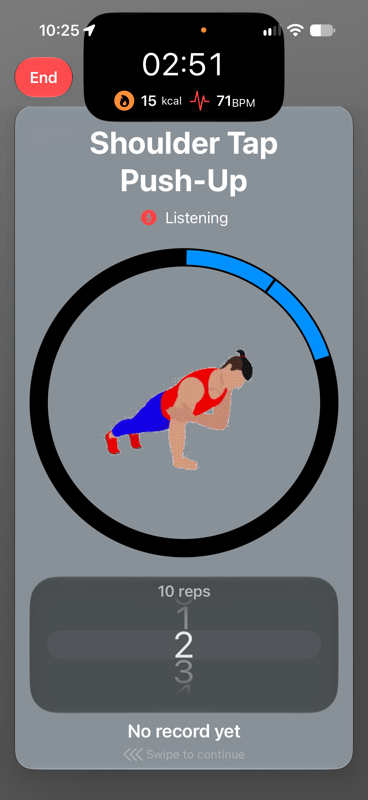
With a watch paired, heart rate and calorie updates arrive several times a second. In SwiftUI, “arrives” means “invalidates every view observing it.” That produced two failures with the same root cause.
The silent one. Any view above the run that observed WorkoutManager redrew the entire run on every metric update — which reset the rep wheels on the cards, wiping whatever the user had just dialled in. The fix was to split the manager into two ways of reading it: @Environment(\.workoutManagerReader) for views that only need its value when something happens, and @EnvironmentObject for leaf views that display live values and genuinely should redraw. The rule is now explicit in the codebase: nothing above the run may observe the manager.
The crash. A view that both observed live metrics and applied iOS 26’s glassEffect redrew its glass on every update. During a card swipe that overloads — “glassEffect() tried to update multiple times per frame” — and takes the app down. The fix has the same shape as the first: draw the glass in a view that observes nothing, and put the changing numbers in a child view that does. VitalsMetricsView and its VitalsReadout are the pattern.
Two different symptoms, one structural answer: push observation as far down the view tree as it will go.
Problem 4: Two devices, two databases, one run in progress
Each app has its own Core Data store. The phone owns the catalogue, the user’s workouts and History; the watch gets a copy it can run from and keeps no History of its own. HealthKit inverts that relationship — the watch owns the workout session and the phone mirrors it — which is why a phone-only run has no heart rate or calories. That’s a design decision, not a gap.
Keeping two copies honest came down to a few rules:
Everything goes through one channel. The application context carries both the catalogue and the settings. Sending either with updateApplicationContext directly drops the other, so all state goes through SyncChannel, which merges them.
Nothing rebuilds a workout that’s being run. Applying a catalogue update mid-run rebuilds the circuits and rounds the run is reading from. The watch defers incoming updates while a run is in progress, queues them, and applies them afterwards.
The watch rebuilds rather than diffs. Simpler, and safe only because the watch stores no History. That constraint is documented rather than assumed, because the moment the watch keeps metrics, the importer has to upsert in place the way CatalogueSync does on the phone.
The phone has its own version of the same principle. History must never lose its link to the exercises it recorded, so nothing it depends on is hard-deleted: a workout with runs is archived, a circuit or round with metrics is detached, and every list fetch goes through the listed predicates so archived workouts don’t reappear.
And nothing waits on HealthKit. Ending a workout can take a long time or never complete at all. The session is stopped and left to finish in the background, and every screen that shows its result has a way out that doesn’t depend on it.
Testing two devices deterministically
Four test targets: Swift Testing for units on both apps, XCUITest for UI on both. The parts that took thought:
- A WatchConnectivity loopback so the sync contract is testable without two live devices.
- Launch arguments that swap in an in-memory store seeded from a frozen fixture catalogue and skip Remote Config, Firebase Auth, the HealthKit prompt and Firestore writes.
- The watch runs with no
WCSessionunder test — otherwise the paired phone simulator would overwrite the fixture with its own catalogue. - Accessibility identifiers generated from one shared source, so the tests and the app can’t drift apart.
The fixture catalogue is frozen on purpose. The shipping data changes freely; only the tests that name the fixture’s contents change with it.
What I’d do differently
Name the entity something else. Notification is a Core Data entity here, which shadows Foundation.Notification inside the app module and means spelling out the full name every time you want the NotificationCenter type. A two-minute naming decision that costs small friction forever.
Tag MirroredPayload. It has no type tag, so decoding tries each format in turn. It works, but it permanently constrains every new payload type to be un-mistakable for the existing ones. An explicit tag with a fallback for old data would have been cheaper than living with that rule.
Outcomes
Shipped on the App Store and actively maintained. On-device workout generation through Apple’s Foundation Models framework, with no inference cost and no user data leaving the phone. Both apps and all four test targets compile in Swift 6 language mode with complete concurrency checking. iOS 26 APIs adopted behind availability checks while holding a deployment floor of iOS 17 and watchOS 10 — four OS versions of support. Twelve pages of architecture documentation covering the data model, the run, the sync contract, concurrency, and the conventions that keep it consistent.